Works today
Talk, out loud
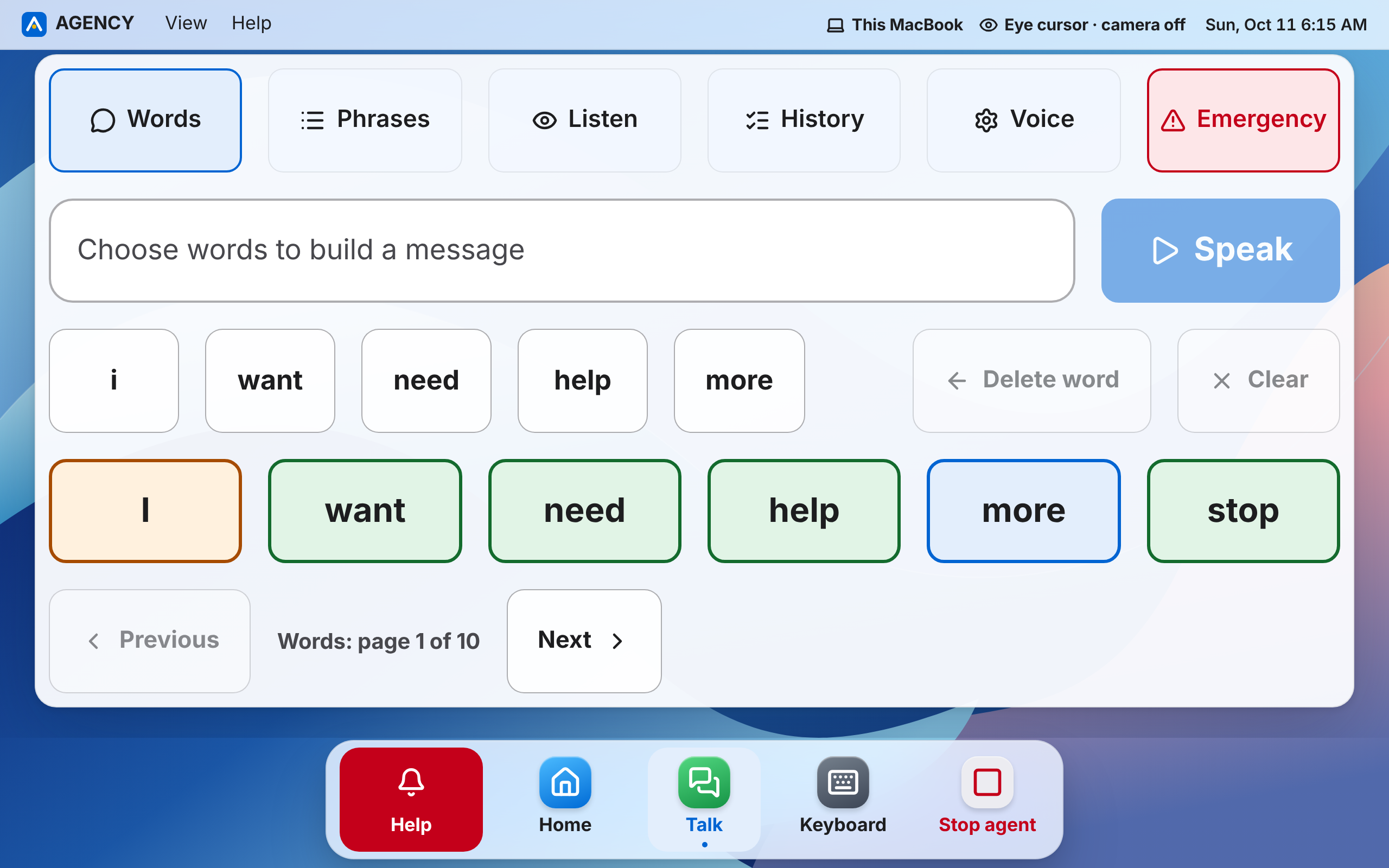
Build a sentence from big word buttons and AGENCY says it out loud, in your own Personal Voice if you've made one on your Mac. Listen mode shows what people say in big text.
1st place, UCSC AI Hackathon, Cloud AI track
AGENCY is a free, eye-controlled computer for people who can only move their eyes, and the people who care for them. All you need is a webcam.

Our story
We built AGENCY for one person first: a team member's grandmother.
Then we took it to the UCSC AI Hackathon, where it won 1st place in the Cloud AI track. Now we're turning AGENCY into a nonprofit, so it can reach more people who can only move their eyes, and the families who look after them.
It's built in the open. The source code is on GitHub for anyone to read.
1st place
UCSC AI Hackathon
Cloud AI track
How to use it
No hands, no voice and no special hardware. Here's all there is to learn.
Look at a button and keep looking. A ring fills up around the pointer. When it's full, the button is chosen. Look away, and nothing happens.
The eye cursor follows your eyes as soon as the camera is on. There is nothing to set up first.
Squint, then move your head up or down to scroll a page. Open your eyes again to stop.
Look at a text box and big keys appear at the bottom of the screen. Look at each letter to type it.
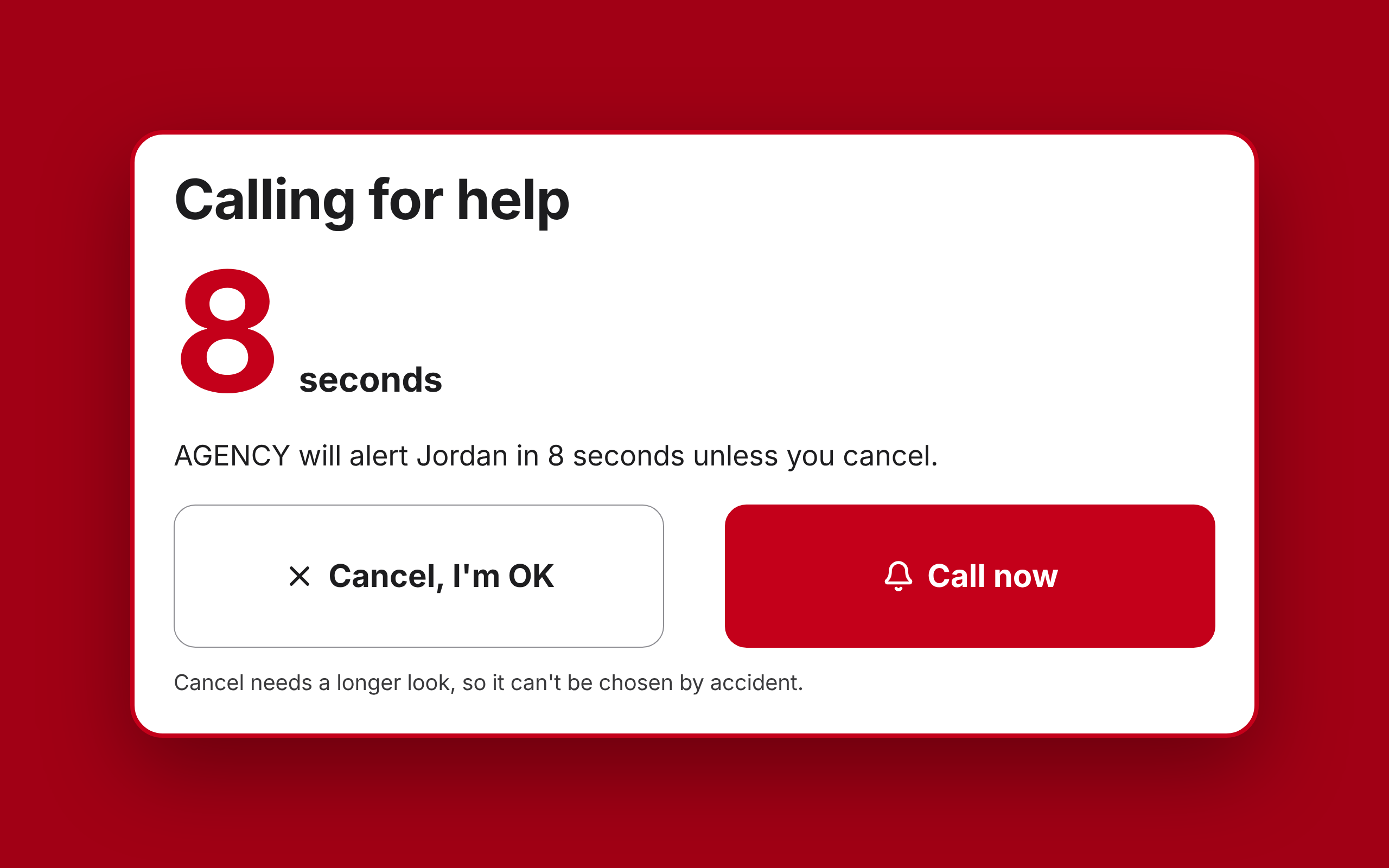
Help is on every screen. Look at it, or close your eyes for a second, three times. You then have 8 seconds to cancel.
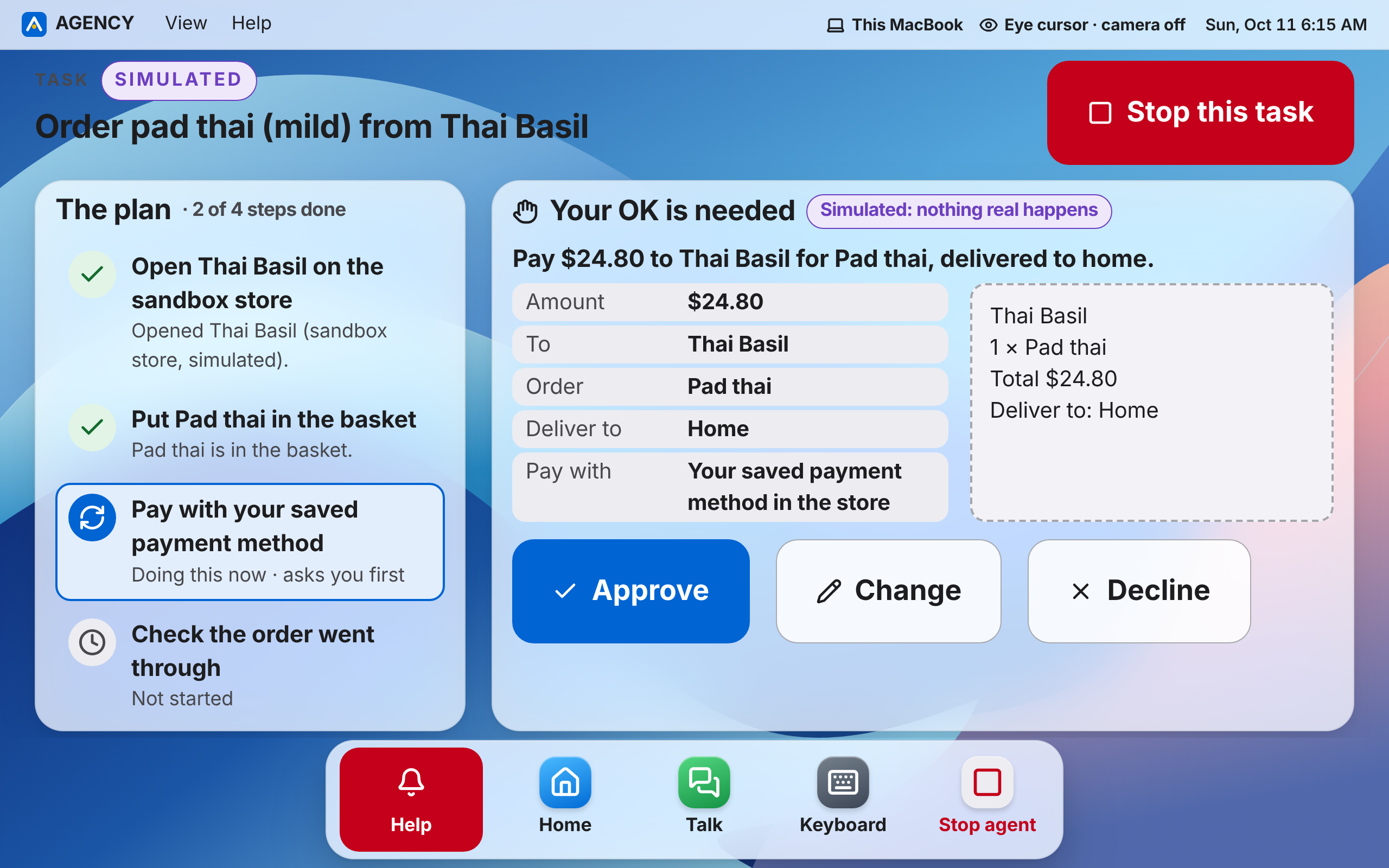
Before AGENCY pays, sends, signs or calls, it shows you exactly what will happen and waits for your OK.
A recording of the real AGENCY interface, with captions. It never plays by itself. Or try it now:
Try it in your browserWho it's for

Living with ALS, locked-in syndrome, a stroke or a high spinal cord injury? If your eyes still move, AGENCY lets you choose, write, talk and ask for help.

Set AGENCY up with a mouse and keyboard in about fifteen minutes, then hand it over. Lifeline contacts need no app and no account.

Every feature says what works today, what is a practice version, and what hasn't been tested yet. We want to test AGENCY properly, with the people it's for.
Photos are of people who aren't AGENCY users. They're here to show who we build for.
What it can do
These are real screenshots of AGENCY with practice data. Each feature says where it really stands, as of 11 October 2026.
Works today
Build a sentence from big word buttons and AGENCY says it out loud, in your own Personal Voice if you've made one on your Mac. Listen mode shows what people say in big text.
Works today
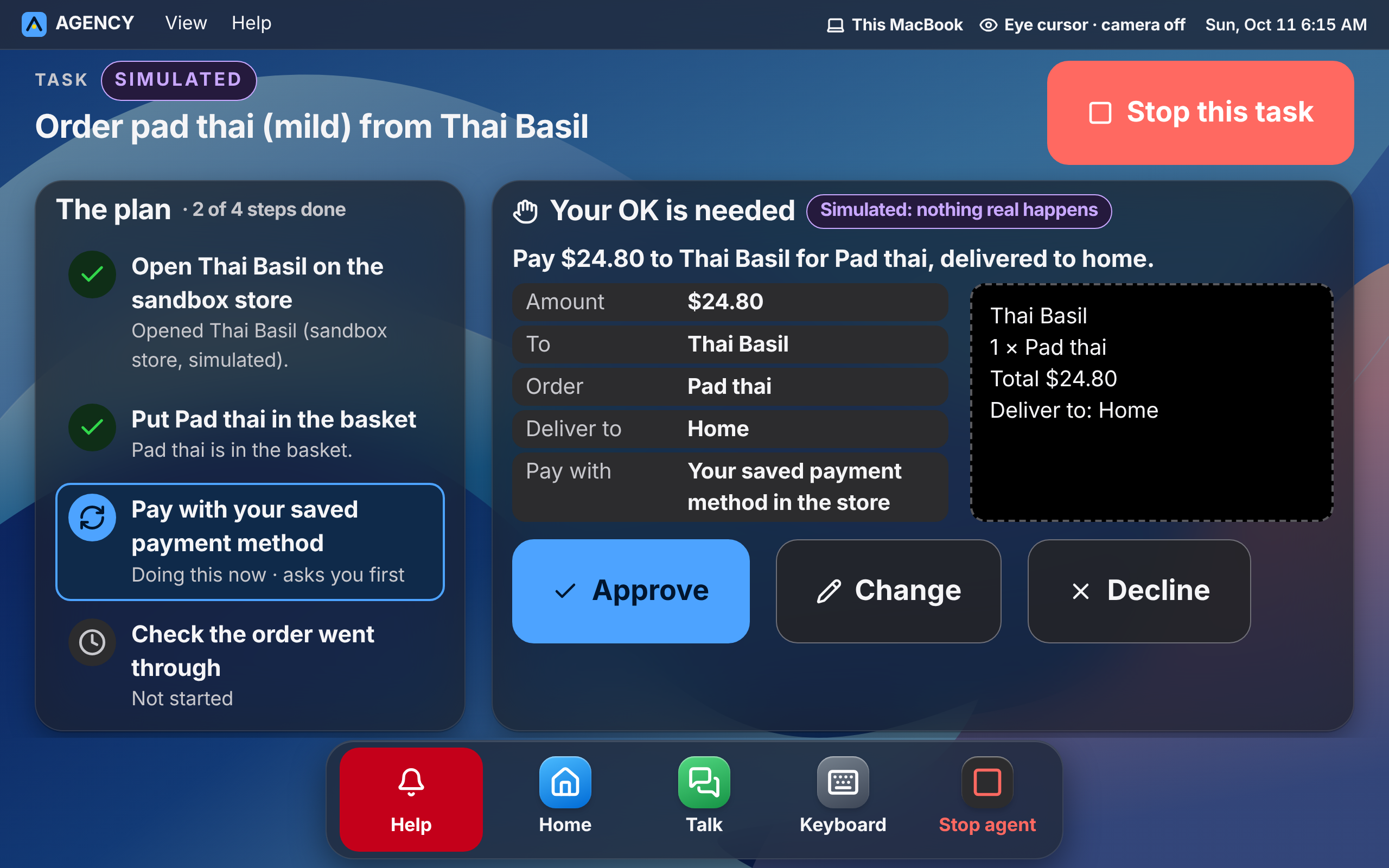
Say what you want with a few looks. Google's Gemini plans the steps and does them. Before anything important, it shows you exactly what will happen and waits.
Shops and services are practice versions until someone sets up real ones.
Works today
Three long blinks, or a look at Help. After 8 seconds, AGENCY contacts your people one by one until someone says “I'm on my way”. It never calls 911 by itself.
Contacts are practice phones until someone sets up real ones.
Works today
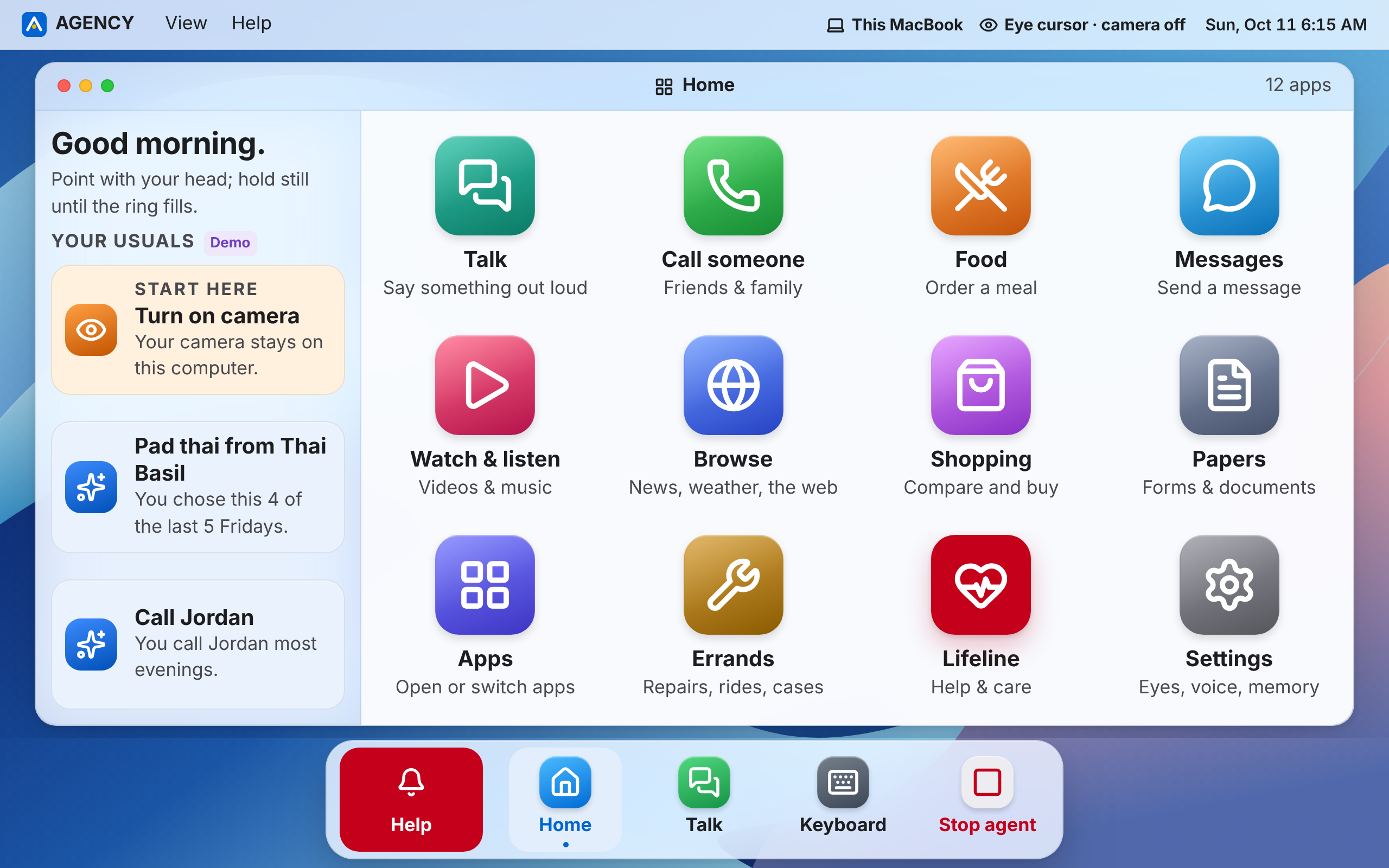
Twelve big apps, from Talk and Food to Lifeline. AGENCY learns what you usually choose and offers it first. You can see, change or erase what it remembers.
Safety and privacy
Your video never leaves your computer by default, and nothing important happens without your OK.
Video is processed on the device and thrown away. It's never stored and never sent.
Pay, send, sign, call, delete and share wait for your OK of that exact action. Stop works from every screen.
$50 a purchase and $100 a day by default, on top of your approval.
Out of the box, shops are practice stores and phones are simulated. Nobody real is contacted until someone sets that up.
AGENCY never types, reads or keeps passwords, two-factor codes or card numbers.
Text on web pages and emails is information, never instructions. If a page tries to steer the AI, it stops and shows you.
AGENCY hasn't been clinically tested. Keep your existing alarms and care routines.
Lifeline contacts the people you choose until one says they're coming. It never calls 911 by itself.
Read the full privacy policy, and how Lifeline is designed and tested in LIFELINE.md.
Why it matters
33,000
Americans live with ALS, by the CDC's estimate
Source: CDC
80 to 95%
of people with ALS lose the ability to rely on speech
Source: Beukelman et al., 2011
$9,646
is what Medicare pays for one speech-generating device
Source: CMS 2026 fee schedule
3×
as likely to suffer a preventable harm in hospital, for patients who can't communicate
Source: Bartlett et al., CMAJ 2008
Dedicated eye-gaze systems cost thousands, and you still click every step yourself. AGENCY uses the webcam you already have, and an AI helper that finishes the job.
Under the hood
For the technically curious: how AGENCY thinks, and how it reads your eyes.
Built on Ray's Synapse-Mesh. When it isn't running, AGENCY's built-in stand-in router picks the mode.
MediaPipe finds your eyes on the device, and RealEye's open-source eye-image model reads where you look. The pointer glides smoothly, and a held button survives a blink or a quick glance away.
When two buttons are close, the AI's guess of your likely next choice breaks the tie. Never for pay, send or sign.
| Product | Control with your eyes | No special hardware | An AI agent finishes the task | Approve with a look |
|---|---|---|---|---|
| AGENCY | Yes:Eye cursor or eye gaze | Yes:Just a webcam | Yes:Gemini plans and acts | Yes:Your OK, for that exact action |
| Tobii Dynavox | Yes:Accurate | No:$10,000+ hardware | No:You click every step | No:No agent |
| Apple Eye Tracking | Yes:A cursor | Yes:Device camera | No:Cursor only | No:No agent |
| Microsoft Eye Control | Yes:A cursor | No:Needs a Tobii tracker | No:Cursor only | No:No agent |
| OpenAI Operator, Gemini agents | No:Built for typing or talking | Yes:Any computer | Yes:Yes | No:Built for typing or talking |
| Google Look to Speak | Yes:Picks phrases | Yes:Phone camera | No:Talking only | No:No agent |
Based on each product's own public description, October 2026.
Try AGENCY in your browser right now, or download the Mac app. Both are free.
Setting it up for someone? Read the setup guide.
Questions
No. AGENCY works with an ordinary webcam, like the one in a MacBook. The eye cursor works as soon as the camera is on, with no setup. Eye gaze adds a 5-second eye scan: a light glides across the screen, then you look at three dots.
Webcam eye tracking is approximate, so AGENCY uses big, well-spaced buttons, a pointer that glides instead of jittering, and holds that survive a blink. Dedicated eye trackers aren't supported yet.
Yes. “Try it in your browser” opens the real AGENCY interface in your web browser, with practice services. It needs a webcam. Camera video is processed in your browser and never sent anywhere.
AGENCY also works with a single switch (one button or a long blink, with choices highlighted in turn), with a head pointer, and with a mouse or keyboard for a helper.
Not anything that matters. Paying, sending, signing, calling, deleting and sharing your details all need your approval of the exact action, and spending is capped at $50 a purchase and $100 a day by default. Stop halts everything at once, from any screen.
No. AGENCY never contacts emergency services by itself. Lifeline contacts the people you choose, and keeps contacting them until one of them says they're coming. They can call for an ambulance. Lifeline is not an emergency service and not a medical alarm, and it doesn't replace your ventilator's alarms.
No. Camera frames are processed on your computer and thrown away. They are never stored and never sent anywhere, including to the AI.
Only what a task you started needs: the text of your request and, when the agent has to look, the app it's working in. Screenshots aren't kept by default. Text on web pages, emails and documents is treated as information, never as instructions.
AI tasks need a Google Gemini API key, and Google's terms apply to what's sent. Without a key, AGENCY runs its built-in plans only.
Every AI request goes through Synapse-Mesh, whose Cisco sentinel measures the network first. A good network gets Gemini with full thinking, a congested one gets lighter thinking, and a critical one gets AGENCY's built-in plans at once. Offline, Lifeline keeps its messages and retries when the connection is back.
Downloading AGENCY costs nothing, and there's nothing to buy here. If you use AI tasks, Google bills the account whose Gemini API key you use.
No. AGENCY is not a medical device, a ventilator alarm or an emergency service, and it hasn't been clinically tested. It hasn't yet been evaluated with the people it's built for; that study is the next big piece of work.
The Mac app needs a Mac for now, because it relies on macOS accessibility features to work in every app. The browser version runs in a desktop web browser. Tell us what you'd use, and we'll write back if that changes.
Something else? Talk to us on GitHub